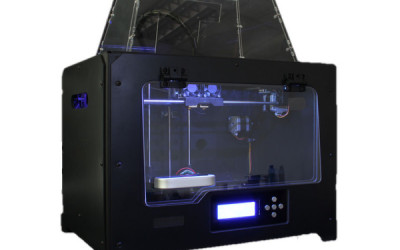
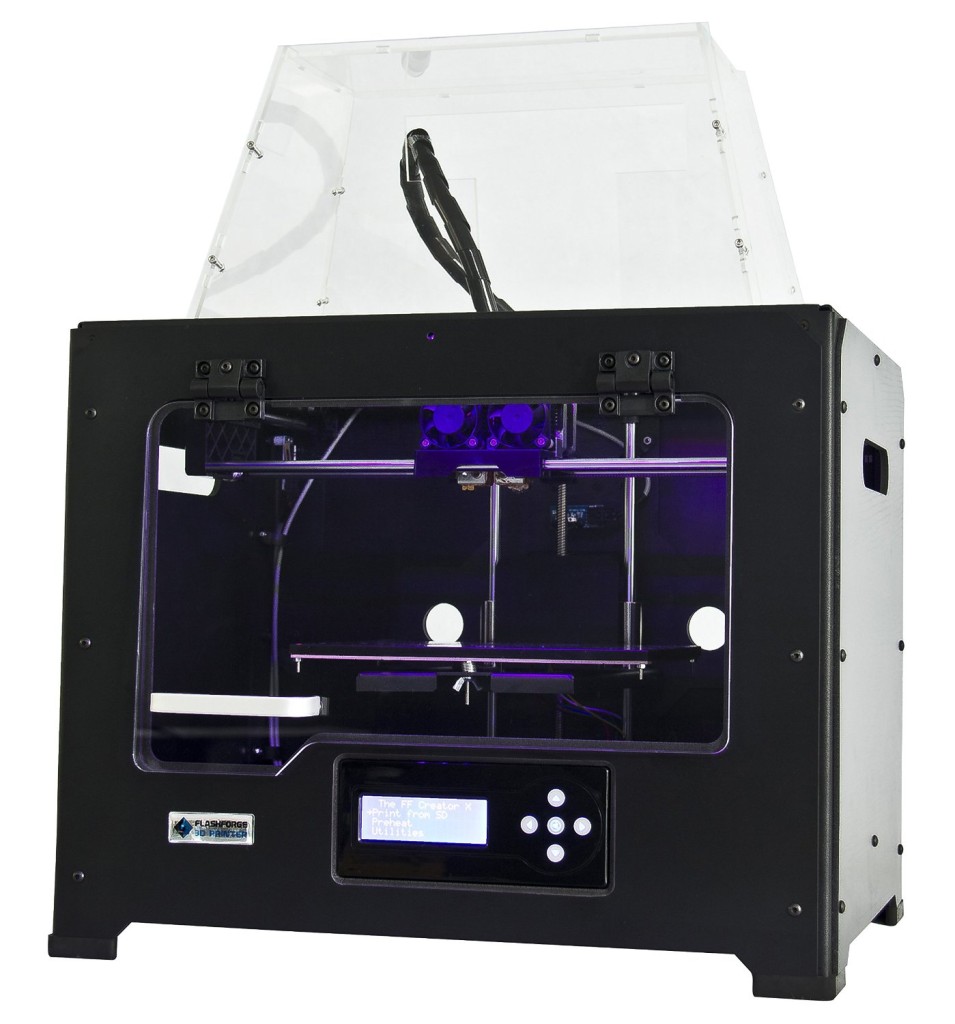
Flashforge Creator Pro 3D Printer Review
%
Positive Reviews
<p style=”font-size: 3;”>Creator Pro Video Review</p>
- 4 Point Leveling System has been replaced with a 3 point system making adjustments quicker and easier.
- Frame is now metal, though sides are still wooden. Adds much needed stiffness, vibration reduction and aids precision of parts made.
- More precision gained from higher quality 6.3mm build plate.
- Closed build area design works best for ABS material as it likes to be warm during prints.
- Open build area design works best for PLA material which likes to be cooled and ventilated during prints.
Design Improvements
- Improved build plate design makes enables higher print speeds with fewer errors and project failures.
- Small rubber feet help keep printer stable and firm which again reduces project failures
- LED Lighting provides better view of project during prints
- All black design is clean and sharp looking
Strong Points
- Dual Extruders
- Heated 6.3mm Aluminum Build Plate
- Quiet Operation
- Open source filament
- Works with Multiple Software
- Enclosed chamber for ABS prints
- Metal Frame
Satisfaction Guaranteed
FlashForge Creator Pro Review
The FlashForge Creator Pro is the next iteration in the family of FlashForge 3D Printers. In short FlashForge is know for consistent quality and has a reputation for ease of use, quality prints and satisfied customers. The Creator Pro is no different. Listening to customers and finding small areas where they can improve their product are trademarks of the FlashForge 3D printer family.
Build Volume
At 5 liters this FlashForge printer is no slouch when it comes to large projects. The build envelope measures 225mm (w) x 125mm (l) x 150mm (h) and gives plenty of room for oblong projects as well as multi-part 3D prints.
Print Speed & Quality
Nozzle thickness on the FlashForge is an industry standard 0.4mm and the layer thickness (accuracy) is adjustable from 0.1-0.3mm giving you complete control over speed and quality. Finding exactly printing speeds is often difficult and hard to translate as the size, detail and material will determine speed. Gladly few users have mentioned any issues with build quailty.
Noise
The Flashforge family of printers has always been among the quietest 3D Printers on the market. Though many other manufactures have complaints about the noise from their units (since many builds an take hours to complete this can be a major annoyance) Flashforge has used quality build components which are quiet to operate even in a home office.
Ease of Use
Many beginner 3D Printer enthusiasts start with the Flashforge printer with a fantastic experience. In the reviews on Amazon specifically many comments have been made by first timers that they are VERY glad they chose the FlashForge for their first 3D printer. Surely you’ll concur!
Price
At around $1350 (hover here to check current price) this printer is a bargain given the reliability, ease of use, customer support, dual extruders, filament options, heated build plate and platform/build size. While other printers are available for less you’ll see that the features which have made the Flashforge hugely popular will diminish quickly. Expect to get far fewer critical features at a price even slightly below that of the Creator Pro.
Setup
Setup couldn’t be easier with this printer. The Creator Pro is fully assembled and requires only a few simple steps to get up and running. Follow the setup instructions and you’re ready to being using your new printer! For help you can watch the setup video below kindly provided by 3duniverse.org
Setup Tips
- Do not remove the Kapton tape which is pre-installed on the build plate. This is the surface you will be printing on!
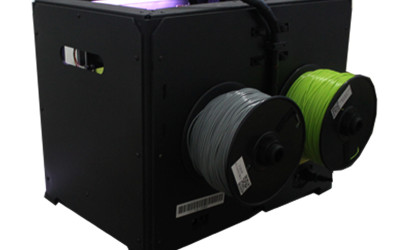
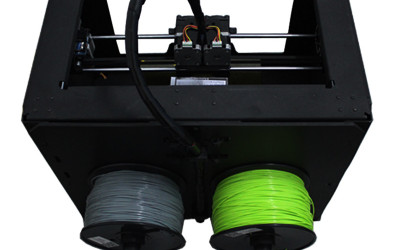
- Be aware of how you install the filament spool and that the direction is appropriate
- When facing the back of the printer the right spool will feed clockwise and the left spool will feed counter-clockwise.
- The spool comes tightly wrapped so be careful not to let it unwind and make it a mess to work with.
Software
The FlashForge Creator Pro is very versatile and compatible with Windows, Max OSX and Linux operating systems so pretty much any mainstream computer should work great. Odds are good if you’re reading this you’ve got the computer under control. It comes with Replicator G and is compatible with MakerWare. Input file types include STL and gcode. Printing can be done with the included SD card or over a wired USB cable.
Customer Satisfaction
With an 86% of ratings being 5 stars the FlashForge is sure to be a great addition to your home, business or classroom. If you’re looking for a hobby printer, want to make products to sell or have an educational need then you’ll likely have the same great experience thousands have already had. See below for hacks and tips to get the most from your FlashForge from the folks who use this 3D printer every day!
Always Hassle Free Returns
Unbox and setup video (35min)
Hack for better Speed with MakerWare
Speed
You must run the Creator X at a slower speed than Makerware defaults. If you see vibration, your corners are sloppy, or your model is getting knocked off the platform then drop the speed. Here’s where I ended up- it’s possible you can get away with higher speeds:
- “rapidMoveFeedRateXY”: 150 → 70
- “doDynamicSpeed”: false → true (slowdowns at corners, very important)
- “dynamicSpeedSlowdownRatio”: 0.3 → 0.5 (to prevent some blobbing at corners)
- “doDynamicSpeedInteriorShells” : false → true
- “firstlayer”: { “feedrate”: 30 → 15 (to improve adhesion)
- “infill”: { “feedrate”: 90 → 40 (to cut vibration)
- “insets”: { “feedrate”: 90 → 40 (to improve corners)
- “outlines”: { “feedrate”: 90 → 30 (to improve corners)
- “minLayerDuration”: 5.0 → 30.0 (so prior layer has time to cool, preventing curling)
Hack for best temperature settings
Temperature:
You want a high temperature for the first layer, then drop to the minimal temperature for subsequent layers. That way you get good build plate adhesion and you also get the ability to do overhangs that aren’t drippy. The minimum temperature for different spools of PLA can vary, but here’s what I’ve used successfully:
- “platformTemp”: 0 → 70 (for great Kapton tape adhesion)
- ExtruderTemp0 (right) or 1 (left): 230 → 195 (This is the default temp to print with, and should be as low as possible so long as filament feeds without clicking)
- “firstlayer”: { “temperature_disabled” → “temperature”: 220 (The first layer you want a high temp so the stuff really sticks to the Kapton tape and any build up in the print head gets liquefied and pushed out)
For ABS you must bump the temperatures, here’s what I use happily:
- “platformTemp”: 110
- ExtruderTemp0 (right) or 1 (left): 220
- “firstlayer”: { “temperature_disabled” → “temperature”: 230
Hack for Switching Print Heads
Extrusion:
To switch print heads, you need to change….
- The “Object” extruder setting in the Makerware GUI
- The “defaultExtruder” in the settings file, where 0 is right and 1 is left (the opposite of reading order)
- Match “defaultSupportMaterial” and “defaultRaftMaterial” to the “defaultExtruder”, assuming you use default supports or rafts
Hack for Filament Feed Rate
Filament Feed Rate:
You’ll need to print a calibration cube to figure this out, but in my experience it was necessary to lower the feed rate by upping the diameter and multiplier. Here’s where I ended up with a good cube:
- “feedDiameter”: 1.77 → 1.82
- “feedstockMultiplier”: 0.93 → 1.0
- “infillDensity”: 0.1 → 0.3 (to prevent bubbling on flat ceiling surfaces)
Hack for Raft and Supports
Raft and Supports:
I don’t use Makerware auto generated raft or supports with Creator X- things stick well to the Kapton tape and come out smooth, unlike with the Replicator 2 where I always used them.
Sometimes you need custom supports and rafts though. The rule I use when a support is needed is to create 1/64th inch thick circular base that touches the plate, then on top of that a 1/16th inch buttress that reaches up to touch an edge of the model. It’s annoying the first few times, but once you get the hang of it it’s easy to create custom supports.
All major credit cards accepted
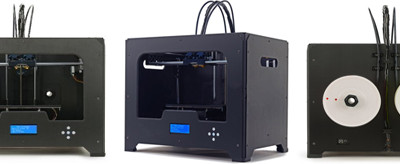
The New FlashForge replaces the popular Creator X in the FlashForge lineup of dual extruders 3D printers. It boasts the same proven design, sturdy metal frame, optimized build platform. And adds: a protective, transparent cover that effectively seals the chamber from outside interference; an integrated LCD screen and button board; and more…
Key features and FlashForge improvements:
1. Sturdy metal frame is substantially more stable than the Creator’s original wood frame..
2. Warp-resistant 6.3mm aluminum build platform remains perfectly level under the stress of high heat.
3. New high heat resistant metal platform supports replace plastic supports.
4. New heavy-duty (10mm) z-axis guide rod ensures steady and precise movement.
5. New acrylic cover encloses the chamber to insulate and protect ABS prints.
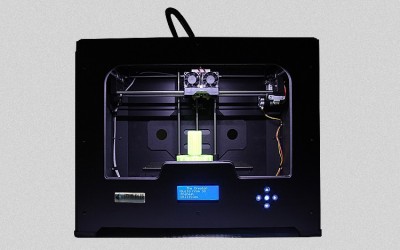
6. New LED light illuminates the printing area.
7. New integrated LCD screen and button board functions error-free.
8. SD slot is repositioned for more convenient access
-The Creator Pro
-Dual Extruder
-2x Spool Holders
-2 spools filament(N.W.:1 kilogram per spool, material and color randomly selected)
-2x filament guide tubes
-Nuts, screws and Hex Wrench Kit in accessories bag
-Power Supply Cable
-USB cable
-End stop switch cable(spare part) -Acrylic covers kit -3M Scotch blue painter’s tape -1×4GB SD card(contains software, test sample files and operation manual)
Dimensions
· Overall dimensions: 320 x 467 x 381 mm
· Packing dimension: 590 x 470 x 580 mm
Software:
· ReplicatorG, MakerWare
· Compatibility: Windows, Mac OSX and, Linux
· Print from SD card or over USB
· Input file type: STL, gcode
Printing
Build envelope: 225 x 145 x 150 mm
Build volume: About 5 liters
Layer thickness: 0.1-0.3 mm(adjustable)
Nozzle diameter: 0.4 mm
Materials
· Works well with 1.75 mm ABS,PLA
Fast shipping and Easy Returns
FlashForge Creator Pro Ratings
- Quality
- Price
- Feautures
- Noise
- Setup Ease
- Print Speed
- Print Quality
- Customer Support
- Filament Options
- Software Options
- Difficulty to operate
- Overall customer satisfaction
Summary
The Flashforge has proven to be a fantastic 3D Printer! Customers love it, first timers comment how simple and easy it is to operate and customer reviews show that it is a quality product at a great price. With improved features that make printing more reliable, address customer problems and make the product better in just the right ways this is a sure bet when considering the investment of a 3D printer in your home, business or education center. This printer is affordable, simple to operate, has exceptional features and will be a product and company that takes the 3D printing community into the future.
Free Shipping @ Amazon