How to Choose a 3D Printer as a Beginner
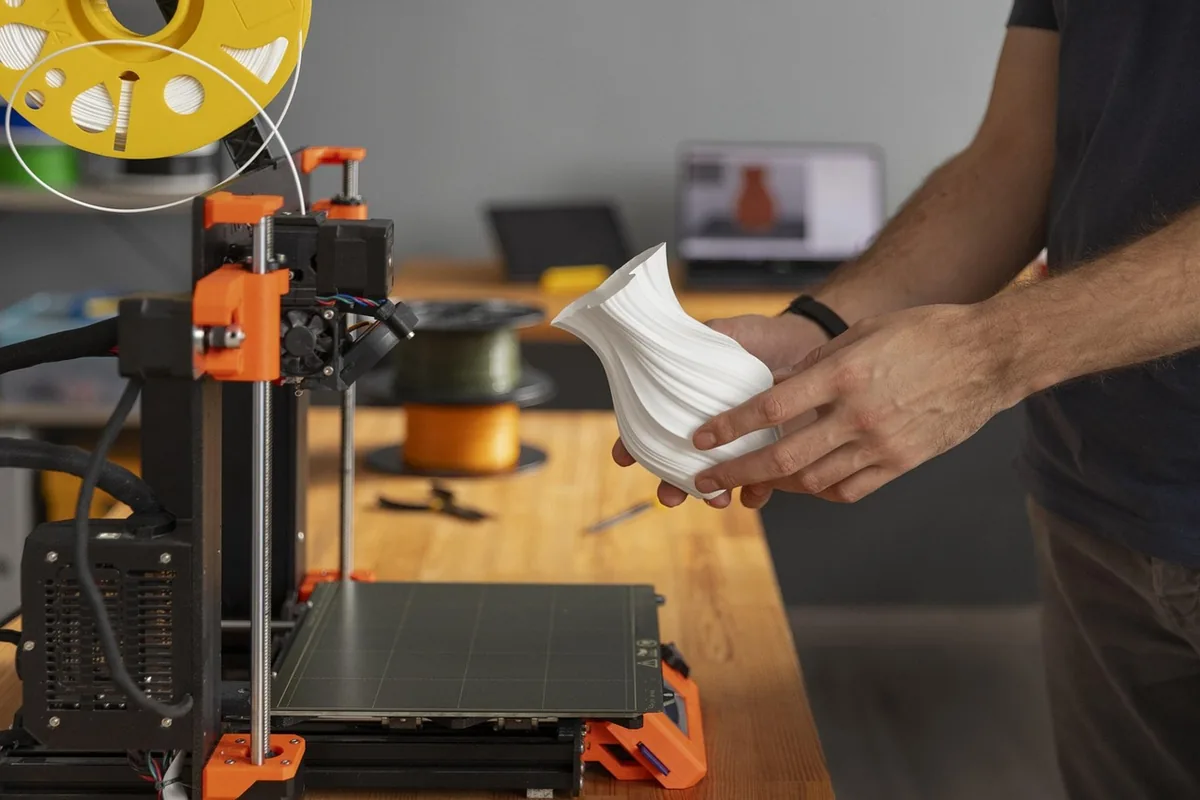
Buying your first 3D printer buying guide resource is a smart start, but the real challenge is sorting through the many machines on the market. Most beginners are overwhelmed by specifications, jargon, and conflicting opinions. The good news is that a handful of practical questions will narrow the field quickly. This guide walks through what matters most when you choose a machine for home, school, or small-scale prototyping.
Start With What You Want to Print
Before comparing machines, decide what you intend to make. A printer for miniatures and small gadgets has very different needs from one meant for functional brackets, cosplay parts, or household replacement pieces. Think about the typical size of your objects, how often you will print, and whether you need strength, flexibility, or fine surface detail.
Print volume is the first specification to check. It describes the maximum width, depth, and height the printer can produce in one piece. A compact build area is fine for figurines and keychains, but if you want to print larger enclosures or cosplay props, look for a machine with a generous build plate. Remember that larger printers take up more desk space and usually take longer to heat up and calibrate.
Understand the Main Printer Types
Most beginner machines use fused deposition modeling, often called FDM. These printers melt thermoplastic filament and deposit it layer by layer. They are the most common, the easiest to maintain, and the cheapest to run. Resin printers, which cure liquid resin with light, produce finer detail but involve messier post-processing and more safety precautions. For a first machine, an FDM printer is usually the sensible choice unless miniature detail is your main goal.
Set a Realistic Budget
A good budget 3D printer does not have to be expensive, but the lowest price is not always the best value. Beyond the printer itself, budget for a few extras: a spool or two of filament, replacement nozzles, a set of tools for removing prints from the bed, and possibly a better build surface. Some machines arrive mostly assembled, while others require an hour or more of building. If you are not comfortable with mechanical assembly, a pre-assembled or kit model with good documentation will save frustration.
Be wary of extremely cheap machines with little community support. When something goes wrong, you will want clear manuals, active forums, and easily available spare parts. A slightly higher price often buys a much smoother first experience.
Key Features to Look For
Several features make everyday printing easier, especially for someone still learning the ropes. Consider the following when comparing models:
- Auto bed leveling: Sensors that map the build plate automatically reduce the trial and error of manual leveling.
- Heated bed: A heated bed helps prints stick and reduces warping, particularly with materials like ABS.
- Removable build plate: Flexible or magnetic plates make it easy to pop off finished parts without damaging them.
- Filament runout sensor: This pauses the print when the spool runs out, saving you from wasted hours.
- Power loss recovery: The ability to resume a job after an outage can rescue long prints.
- Enclosure: A closed frame keeps temperature stable, which matters for warp-prone plastics.
You do not need every feature, but auto bed leveling and a heated bed are two that most beginners find worth paying for.
Understand Filament Compatibility
Filament is the material your printer uses, and not every machine handles every type. PLA is the easiest material for beginners. It prints at low temperatures, rarely warps, and comes in a wide range of colors. PETG offers more strength and heat resistance, while TPU is flexible and suits phone cases or gaskets. More demanding materials such as ABS, ASA, or nylon need higher nozzle and bed temperatures and often an enclosure.
Check that the printer's maximum nozzle and bed temperatures match the materials you plan to use. Many beginner machines are excellent with PLA and PETG but struggle with engineering plastics. Buying filament from reputable manufacturers and storing it dry will also improve results, since moisture can cause stringing and weak prints.
Consider Advanced Options Carefully
A dual extruder lets a printer use two filaments at once, which is useful for printing support material in a different, easily removed plastic or for multicolor designs. It is a valuable capability, but it adds complexity, more maintenance, and a higher price. Unless you already know you need it, a single-extruder machine is a better learning platform. You can always upgrade later once you understand your workflow.
If you plan to use your printer for rapid prototyping, consider how quickly it can produce parts and how easily you can iterate on designs. Fast print speeds, reliable motion systems, and good cooling make a noticeable difference when you are testing many versions of a part. Reading 3D printer reviews from people who run their machines for long periods can reveal weaknesses that spec sheets hide.
Make Your Decision
To choose confidently, write down your main use, your budget, your space, and your comfort with assembly and tinkering. Then shortlist two or three machines that fit those answers. Compare their print volume, auto leveling, filament support, and community resources. Watch how other owners describe the first few weeks, because setup and reliability matter more than peak speed. A well-supported, reasonably priced FDM printer with a heated bed and auto leveling will serve most beginners well for years.